 HOZU
HOZUHozu DevTools · 0.10
Point at it. Your agent gets the line.
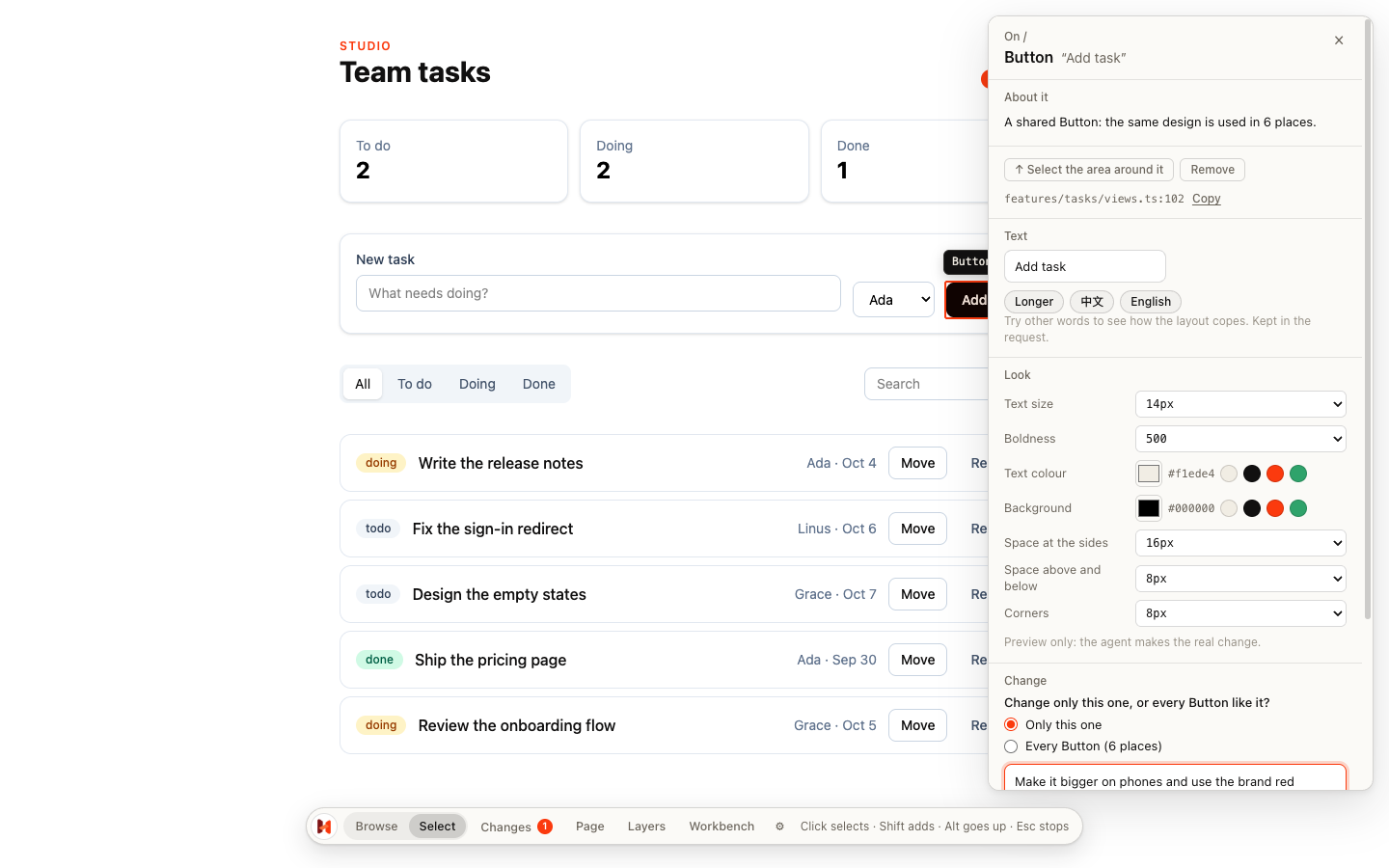
Select what is wrong on the screen and say what should change. The request names the file, the line and the Hozu way to make the change, so your agent stops searching and starts fixing.
How it works
Three clicks instead of a paragraph.
1 · Select
Choose Select in the dock and click the part. Alt goes up a level, a double-click picks a text.
2 · Describe
Say what should change. Try a size, a colour or other words first: it is a preview on your screen only.
3 · Hand it over
Copy for AI, or save it. Tell your agent: “Do the open Hozu requests.”
The request
What your agent reads.
Where, what and how far the change reaches, the theme class to use, and a reminder only where a plain edit would go wrong. The pointer finds the part again after the lines move.
# Hozu request: Make it bigger on phones and use the brand red

Page `/` · 390 × 844

## 1. <button> · ui.Button
- Want: Make it bigger on phones and use the brand red
- Where: `features/tasks/views.ts:102:16` (view `tasks.Board`)
- Scope: only this one
- Style: font size 14px → 16px: replace `text-sm` with `text-base`
- Style: background #111010 → #fb3a0e: replace `bg-ink` with `bg-brand`
- Mind: `ui.Button` is used in 6 places. For only this one, change `class` at this use; a property the component owns needs a trailing `!`.
- Locate: `hozu locate /features/tasks/views/Board/root/children/2/children/0/children/2`

Run `hozu check` after the edits.
Every state
See the screens you never get to.
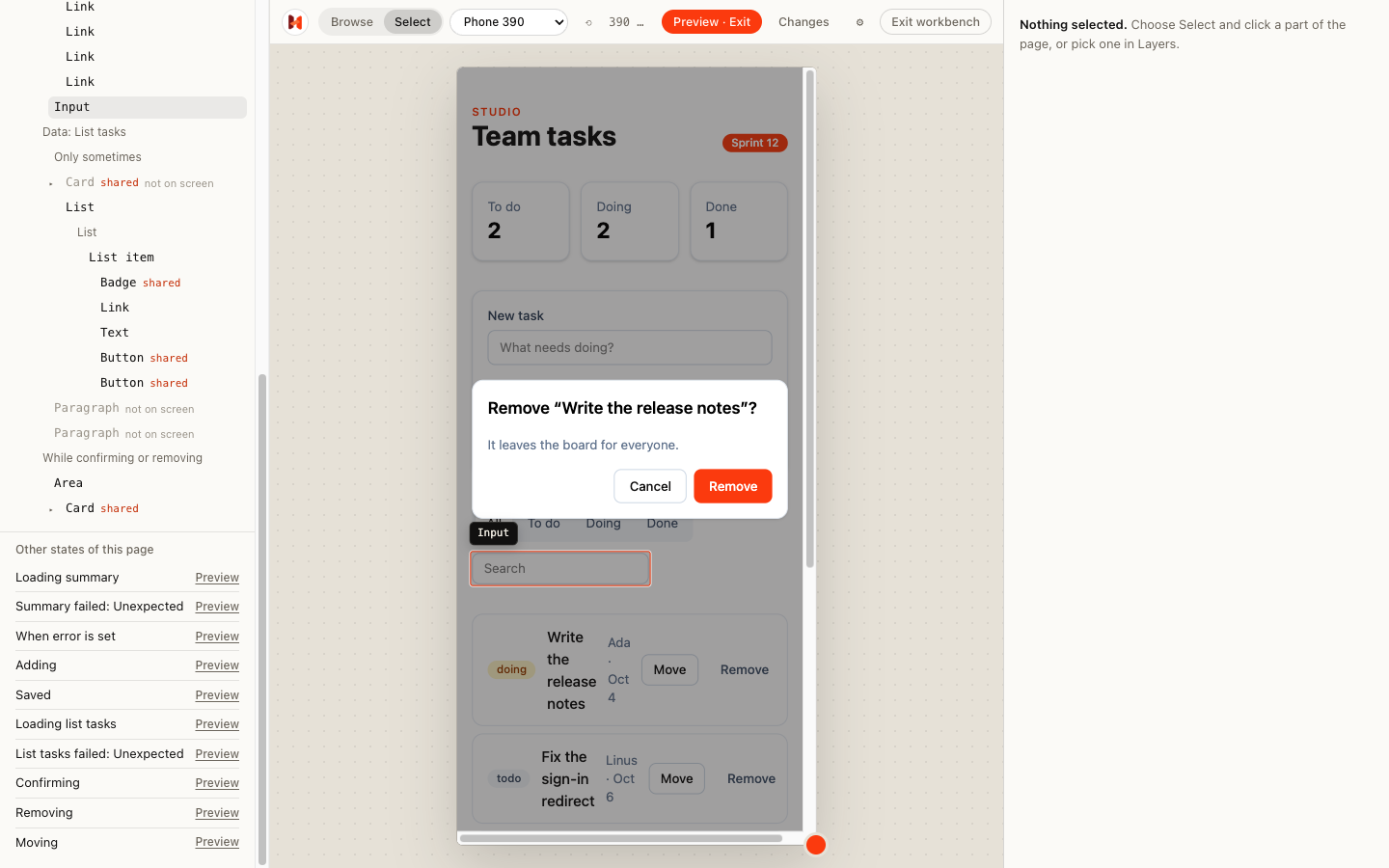
Loading, failed, saving, an error message, a confirmation dialog: Layers lists every state the page can be in, read from the app itself. Preview one without running anything, at a phone’s exact size.
For everyone
Plain words, or the source.
Builder
“A shared Button: the same design is used in 6 places.” No code names, the scope as a question.
Developer
Files and excerpts, components, conditions, transitions and node ids.
Zero cost
Only under npm run dev. A production build carries no marker and no DevTools code.